Host RLCraft on your own server
A modpack specially designed to bring an incredibly hardcore and semi-realism challenge revolving around survival, RPG elements, and…
Monthly price. No setup fee.
About RLCraft
A modpack specially designed to bring an incredibly hardcore and semi-realism challenge revolving around survival, RPG elements, and adventure-like exploration.
A hardcore semi-realism survival pack with RPG progression, dragons and biome-specific threats.
Run it on your own OmneHosting server so your friends can join any time, without leaving a PC on at home.
What players like about RLCraft
The highlights, from the pack's own description.
- Thirst and temperature systems (Simple Difficulty) on top of hunger, with seasons and biome effects
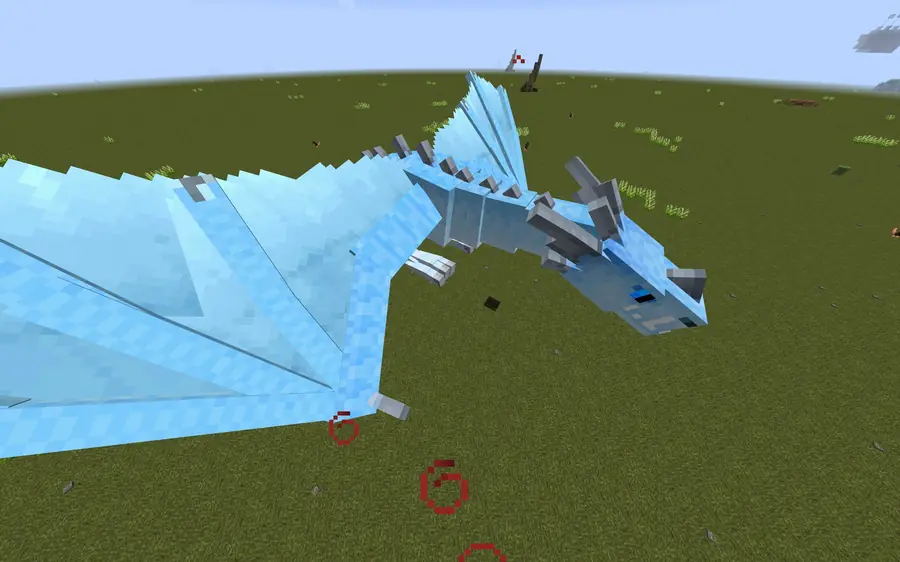
- Lycanite's Mobs and Ice and Fire dragons add new biome-specific mobs, bosses and tameable creatures
- Quality Tools with random tool/armor qualities and a reforging station
- Baubles slots for rings, amulets and a tool belt
- Waystones for Diablo-style fast travel at an XP cost
- Realistic torches that must be lit by hand and burn out
How much memory does RLCraft need?
We suggest 6 GB for a group of friends, which is the recommended size rather than the bare minimum. Go higher for more players or extra mods.
- Recommended sizes come from the pack's own guidance where it exists, host guides and community reports.
- More players and more loaded chunks use more memory.
- Adding your own mods on top needs headroom.
From checkout to playing RLCraft
You do not need to be a server admin.
- 1
Choose a plan
Pick a size with enough memory for the pack.
- 2
Check out
Pay with the method you prefer. Your 3-day money-back guarantee starts here.
- 3
Install the pack
Use the panel's modpack install if it is offered for this pack, or upload the pack's server files from CurseForge yourself.
- 4
Start and invite
Press start, wait for the first load, and share the address.
More modpacks
Other popular packs you can host.
Someone has your back
Help when you need it
Modpacks break in strange ways. You will not be on your own.
- Tickets open 24/7, with a target reply within 1 day
- Ask in our Discord community
- Backups you can restore from
3-day money-back guarantee
Not what you expected? Ask for your money back within 3 days, no questions asked.
- On new game server orders
- Days 4 to 7: by support ticket, at our discretion
- VPS is not refundable, see the refund policy
Need help getting started?
Step-by-step guides for the panel and common setups are in our docs.
RLCraft is created by its authors and is available on CurseForge. Pack names and images belong to their owners. OmneHosting is not affiliated with or endorsed by them.
RLCraft questions
The things people ask before ordering.
Which plan should I pick for RLCraft?
Start at 6 GB. More players and extra mods need more memory.
Can you host RLCraft?
Yes. It is a normal Minecraft server, so you can install it from the panel where offered or upload the server files yourself.
Can I add my own mods on top?
Yes. You control the server's files from the panel.
How fast is my server ready?
Your server is created after payment clears and is usually running within minutes. You manage it from the panel.
Can I invite friends to help run it?
Yes. The panel has sub-users, so you can give friends access with their own permission levels.
Can I get a refund?
Yes. New game server orders have a 3-day money-back guarantee, no questions asked. Between days 4 and 7 you can ask by support ticket and we decide case by case. VPS services are not refundable. The refund policy has the full terms.
Do I get a subdomain?
Yes. You can create a free subdomain for your server from the panel, so friends join with a name instead of an IP address.
Ready to play RLCraft?
Pick a size and you are minutes away.